 Prayer Guard
Why I built Prayer Guard: a Christian app blocker that asks you to pray first
I am Valeriy Lobkov, the founder of Sevenfold Studio and creator of Prayer Guard. I built the app around a problem that ordinary screen-time tools did not solve: opening distracting apps can become automatic, and stopping the tap is not the same as redirecting the heart.
What if reaching for the feed became a cue to return to God?
I kept coming back to one question: what if reaching for the feed became a cue to return to God? Screen-time timers and app blockers can create useful friction, but they usually stop at “wait” or “do not open.” For a Christian, that interrupted moment can hold more meaning.
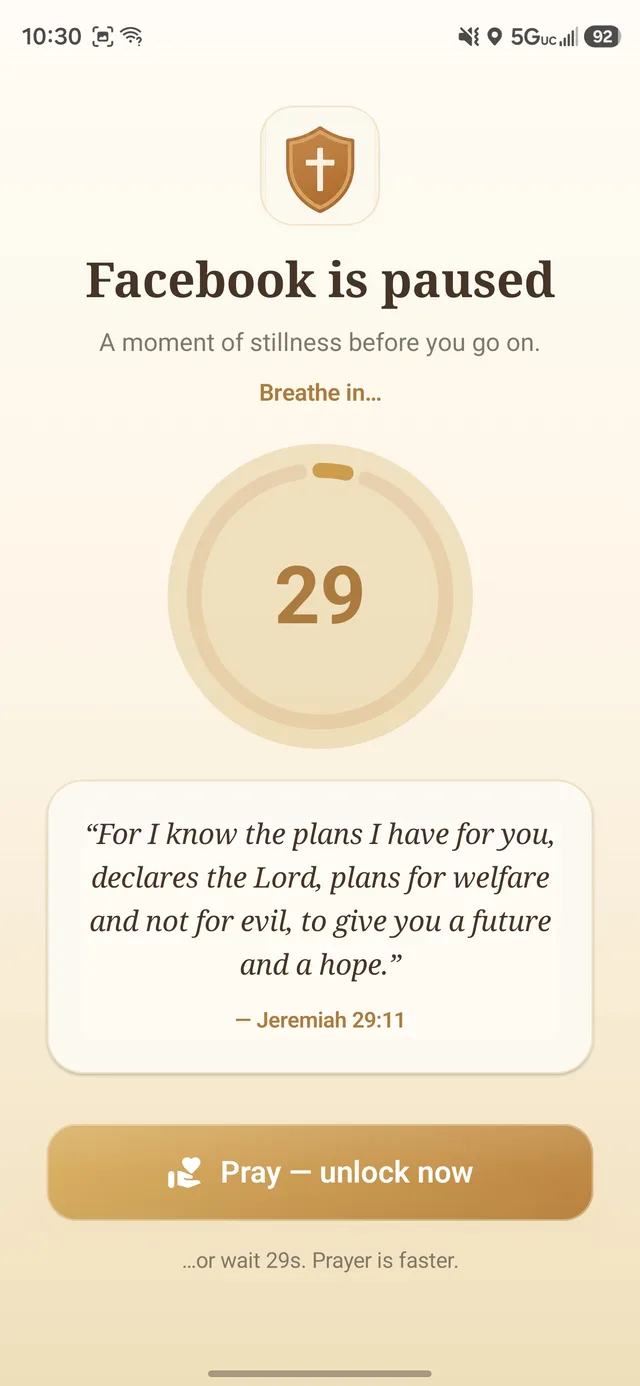
I created Prayer Guard so the interruption has a direction: a Bible verse, a breathing pause, a prayer matched to the moment, and then a deliberate choice. The aim is not to make technology look spiritual. It is to replace an unconscious habit with a small, repeatable act of attention toward God.
I also wanted the product to respect private prayer. Personal prayers, journal entries, streaks, and settings stay on the device by default; Sevenfold Studio does not operate a cloud database of that personal content. An optional password-encrypted backup is created and controlled by the user.
One boundary does not fit every app or every season
Pause + pray
For days when a short interruption is enough to break autopilot and let you reconsider the tap.
Pray to open
For stronger accountability when you still need access but want prayer to come first.
Block completely
For a social media fast, focused work, family time, or an app that should remain closed.
Those choices came from a practical truth: a Christian app blocker should support discernment, not pretend every person and every distraction needs the same rule. See the current guard modes or learn how to set up a social media fast.
What Prayer Guard promises—and what it does not
Prayer Guard does not claim that Android blocking is impossible to bypass. The phone owner can still uninstall or force-stop apps. Family Guard and Commitment Lock add accountability inside Prayer Guard, while supervised-device tools may be appropriate for child-owned phones.
Prayer Guard also does not send personal prayers, journal entries, streaks, or settings to a Sevenfold Studio cloud database. Personal content stays local by default. If a user creates an optional encrypted backup, the user chooses its location and controls its password.
That honesty is part of the product—not a disclaimer hidden after the sale. Read the privacy policy and private backup explanation.
Independent and Android-first
I build Prayer Guard through Sevenfold Studio as an independent, Android-first product. The screenshots on this site come from the current app, and I update the explanations when the actual guard behavior changes.
Questions, corrections, and feature requests are read at info.sevenfoldstudio@gmail.com.
Turn the next impulse into a prayer
Prayer Guard is available for Android with a 7-day free trial. No Prayer Guard account or Sevenfold cloud database.
Get Prayer Guard on Google Play