 Prayer Guard
Block YouTube and Shorts on Android—or pray before you watch
YouTube can hold genuinely useful videos and an endless stream of Shorts in the same app. Prayer Guard lets you decide how much friction that app needs: a Scripture-and-prayer pause, prayer-required access, or a complete block.
Android · 7-day free trial · No Prayer Guard account · Personal content local by default
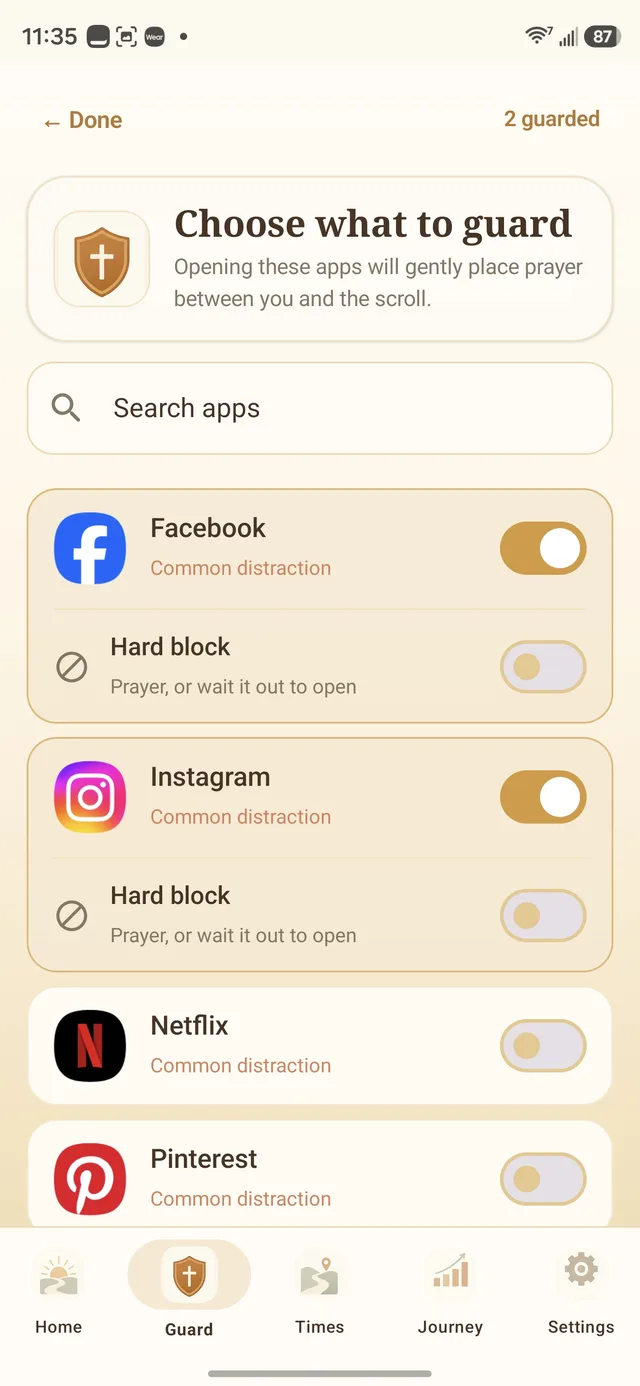
How to block YouTube on Android without deleting it
1. Install Prayer Guard
Get Prayer Guard from Google Play. No Prayer Guard account is required.
2. Enable the guard permission
Prayer Guard explains the Android permission it needs to recognize when the selected YouTube app comes to the foreground.
3. Select YouTube
Choose YouTube from your installed apps. Add a guard schedule if your problem is concentrated at night, during work, or while studying.
4. Choose what happens
Set YouTube to Pause + pray, Pray to open, or Block completely. The rule applies before the installed app opens.
Useful tutorials and endless Shorts do not have to get the same treatment
Pause + pray
Scripture, breath, and prayer interrupt the launch. You still choose afterward.
Useful when: YouTube is genuinely useful for tutorials, sermons, work, or learning but you want to stop opening it without a purpose.
Pray to open
The prayer step is required before YouTube can open.
Useful when: you want useful access to remain possible, but only after a deliberate faith-centered interruption.
Block completely
The selected YouTube app stays closed while the mode is active.
Useful when: Shorts or autoplay keep winning during bedtime, study, a fast, or another protected period.
Prayer Guard does not pretend it can surgically remove only Shorts
The guard applies before the installed YouTube Android app opens. That means it can stop or interrupt the route to Shorts, but it does not modify YouTube's internal tabs to leave long-form videos freely available while disabling only Shorts.
If you need a tutorial, the lighter modes can preserve intentional access. If you are protecting a time window where YouTube is not needed, Block completely is clearer.
Digital Wellbeing is useful too
Android's built-in Digital Wellbeing can set daily app timers and Focus Mode schedules. Those tools may be enough if you only need time limits or scheduled quiet periods.
Prayer Guard's difference is the content of the interruption: Scripture, prayer, and a per-app choice about whether access remains possible. See all Android app-blocking methods compared.
Blocking the YouTube app is not the same as blocking youtube.com
Prayer Guard's app-level rule applies to the selected installed YouTube app. It does not automatically block youtube.com inside Chrome or another web browser. If browser viewing is part of your pattern, plan for that separately rather than assuming an app-level guard covers every route.
Protect the schedule after you set it
Commitment Lock can let someone you trust hold the PIN required to weaken protected Prayer Guard settings. Stronger changes remain available; protected weakening changes require the PIN or the documented cooldown.
Prayer Guard does not claim to remove the Android owner's system-level controls such as uninstall or force-stop.
YouTube blocking questions
How do I block YouTube on Android without deleting it?
Install Prayer Guard, enable the required Android guard permission, select YouTube, and choose Block completely. YouTube remains installed while Prayer Guard keeps the selected app closed during that mode.
Does Prayer Guard block YouTube Shorts?
The guard applies to the YouTube app as a whole, so it acts before you reach Shorts. It does not selectively disable only the Shorts tab while leaving the rest of YouTube unguarded.
Can I make myself pray before YouTube opens?
Yes. Use Pray to open when prayer should be required. Use Pause + pray if you want Scripture and prayer to interrupt the launch while leaving the final choice afterward.
Can I block YouTube only at night?
Yes. Use a guard schedule for the time window you want to protect, such as bedtime, work, study, or morning devotion.
Make “one more video” a real choice
Choose Pause + pray, Pray to open, or Block completely for YouTube on Android.
Get Prayer Guard on Google Play