 Prayer Guard
Block Instagram on Android—or make yourself pray before Reels
If your thumb opens Instagram before you have decided what you are there to do, Prayer Guard can change that moment. Put Scripture and prayer before the app, require the prayer step before access, or keep Instagram closed completely.
Android · 7-day free trial · No Prayer Guard account · Personal content local by default
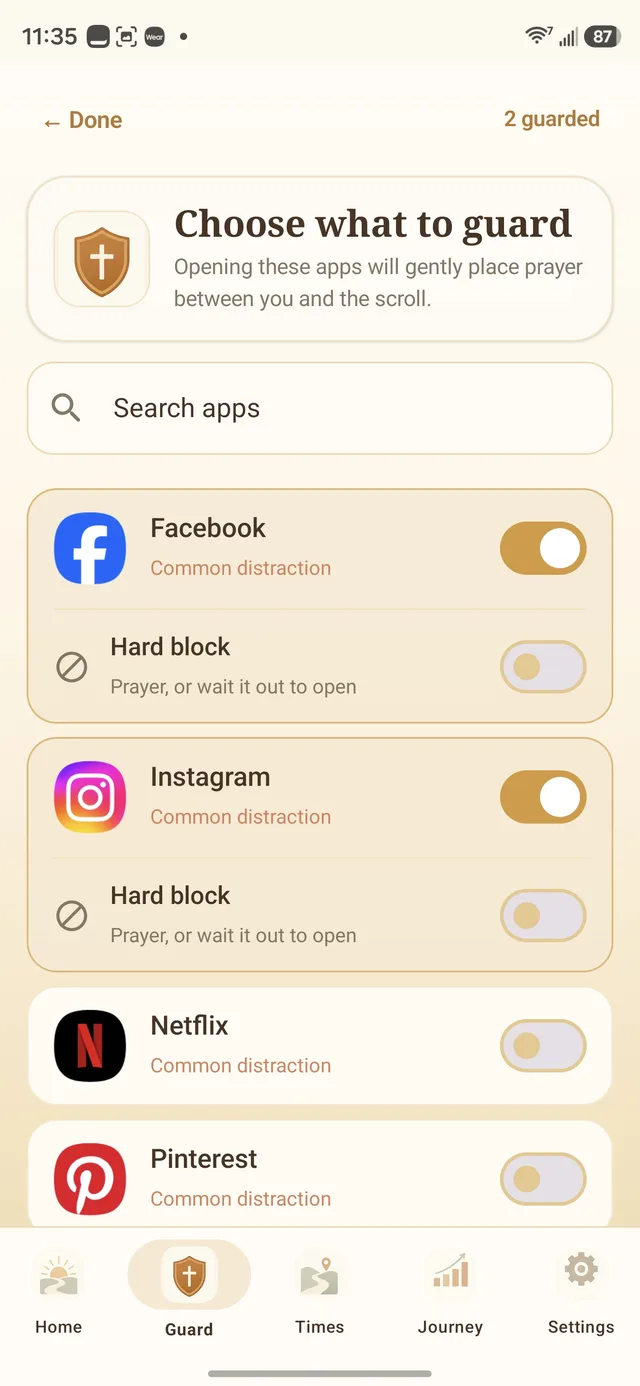
How to block Instagram on Android without deleting it
1. Install Prayer Guard
Get Prayer Guard from Google Play. No Prayer Guard account is required.
2. Enable the guard permission
Prayer Guard explains the Android permission it needs to recognize when a selected guarded app comes to the foreground.
3. Select Instagram
Choose Instagram from your installed apps. Add a schedule if the problem is strongest in the morning, during work, or at bedtime.
4. Choose what happens
Set Instagram to Pause + pray, Pray to open, or Block completely. The three modes intentionally have different outcomes.
Keep DMs when you need them. Put a stronger boundary on the feed when you do not.
Pause + pray
A Bible verse, breathing pause, and prayer interrupt the reflex. Afterward, you make the final choice.
Useful when: you need Instagram for DMs, business, or a specific post but want to notice automatic opens.
Pray to open
The prayer step must be completed before Instagram can open.
Useful when: the gentle pause is too easy to ignore but you still need occasional access.
Block completely
The selected Instagram app stays closed while the mode is active. It does not open after prayer.
Useful when: you are fasting from social media, protecting sleep, studying, working, or deliberately taking Reels off the table.
The rule applies to Instagram as an app, not only one tab
Prayer Guard acts before the installed Instagram Android app opens. That means the selected guard mode applies before you reach Reels, Explore, the feed, or DMs. It does not selectively disable only Reels while leaving every other Instagram tab freely available.
It also does not automatically block instagram.com in a web browser. If browser access is part of your habit, plan for that route separately rather than assuming an app-level boundary covers the whole internet.
Ask one question before the algorithm gets a turn
“Why am I opening Instagram right now?” If the answer is “to reply to one person,” that is different from “I am bored and want stimulation.” The prayer-first modes give that question somewhere to happen.
If comparison or compulsive scrolling is the bigger issue, see Phone Addiction: Signs, Science & a Way Out and 40 Bible Verses About Phone Addiction.
Protect a boundary after you set it
Commitment Lock can let someone you trust hold the PIN required to weaken protected Prayer Guard settings. Stronger changes remain available; protected weakening changes require the PIN or the documented cooldown.
Prayer Guard does not claim to make an owner-controlled Android phone literally impossible to bypass. Android still gives the owner system-level controls such as uninstall and force-stop.
Your prayer content stays local by default
Prayer Guard does not require an account or maintain a Sevenfold Studio cloud database of your personal prayers and journal entries. Personal content stays local by default. If you want portability, you can create a password-encrypted private backup and save it to a location you choose.
Instagram blocking questions
How do I block Instagram on Android without deleting it?
Install Prayer Guard, enable the required Android guard permission, select Instagram, and choose Block completely. The app remains installed while Prayer Guard keeps the selected app closed during that mode.
Can I make myself pray before Instagram opens?
Yes. Use Pray to open when the prayer step should be mandatory before access. Use Pause + pray when you want Scripture and prayer to interrupt the reflex while leaving the final choice afterward.
Can I block only Instagram Reels?
Not with Prayer Guard's app-level guard. The rule applies before the Instagram app opens, so it covers the path to Reels, the feed, Explore, and DMs rather than filtering one tab inside Instagram.
Is Instagram blocking free?
Prayer Guard currently offers a 7-day free trial through Google Play. After the trial, see the current Prayer Guard pricing and Google Play offer for available plans.
Put prayer between the tap and the feed
Choose the Instagram boundary that fits today: Pause + pray, Pray to open, or Block completely.
Get Prayer Guard on Google Play